A precise diagram
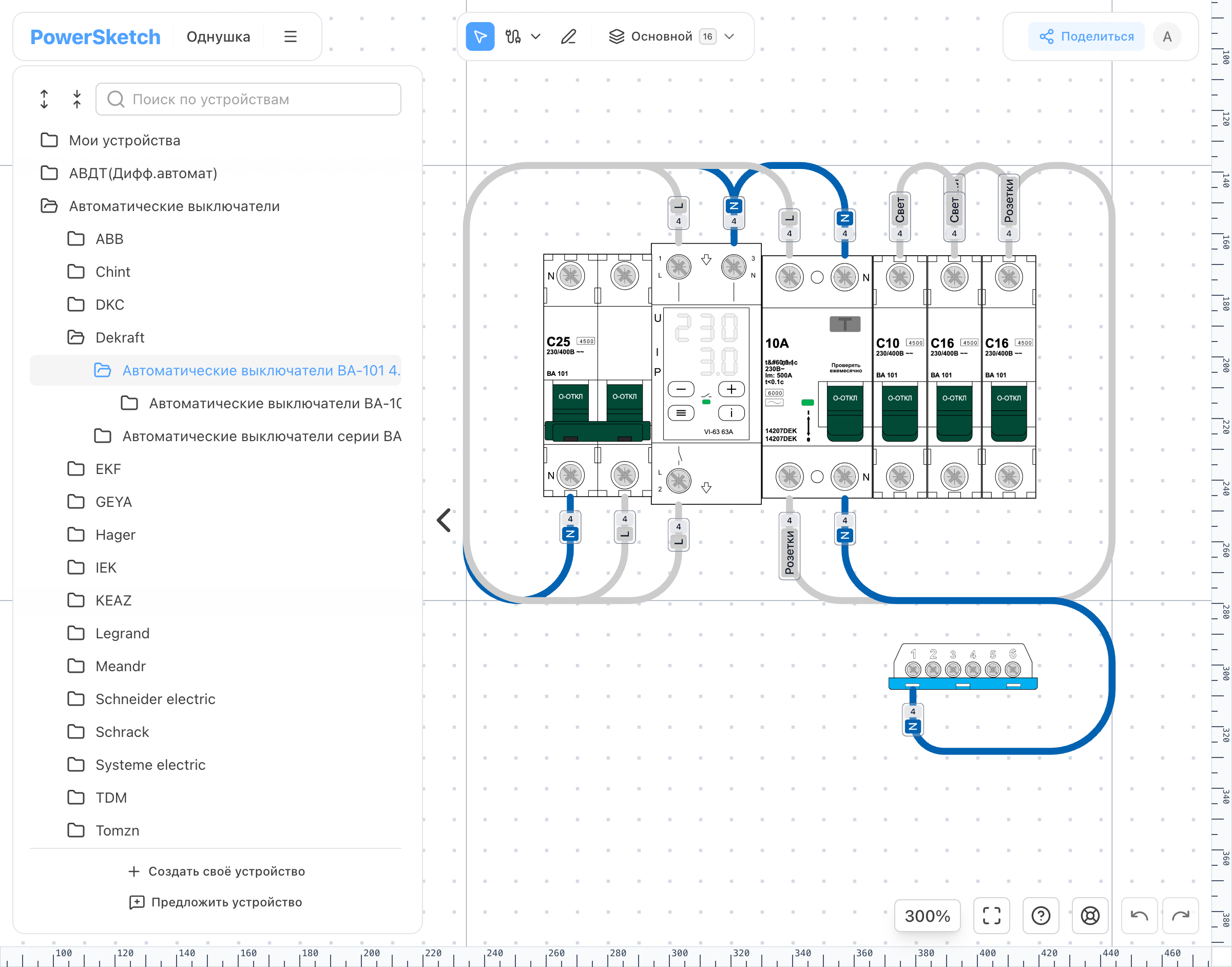
Zoom, move, and edit the diagram without losing dimensions or connection points.
Online electrical panel editor
/* An online editor for drawing electrical panel diagrams and preparing them for installation. */
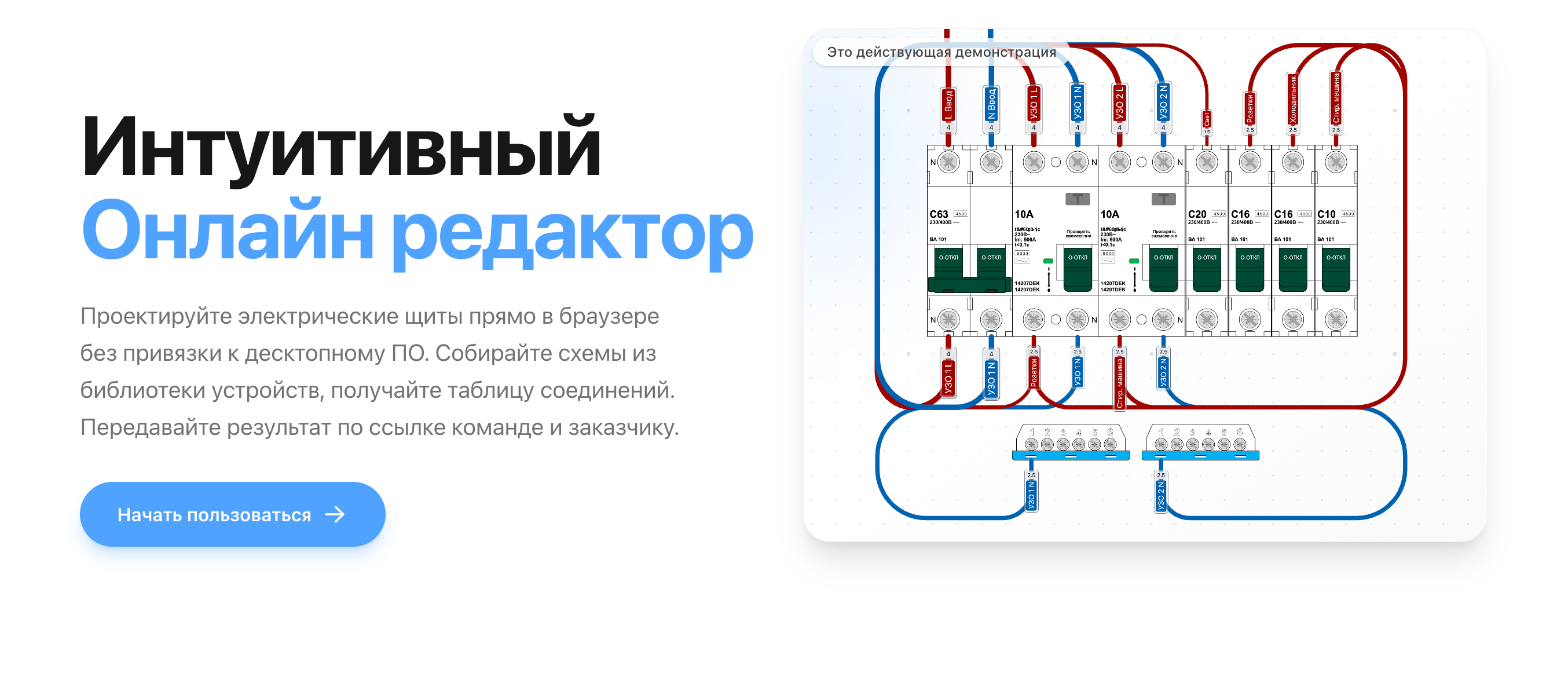
[ Open live product ]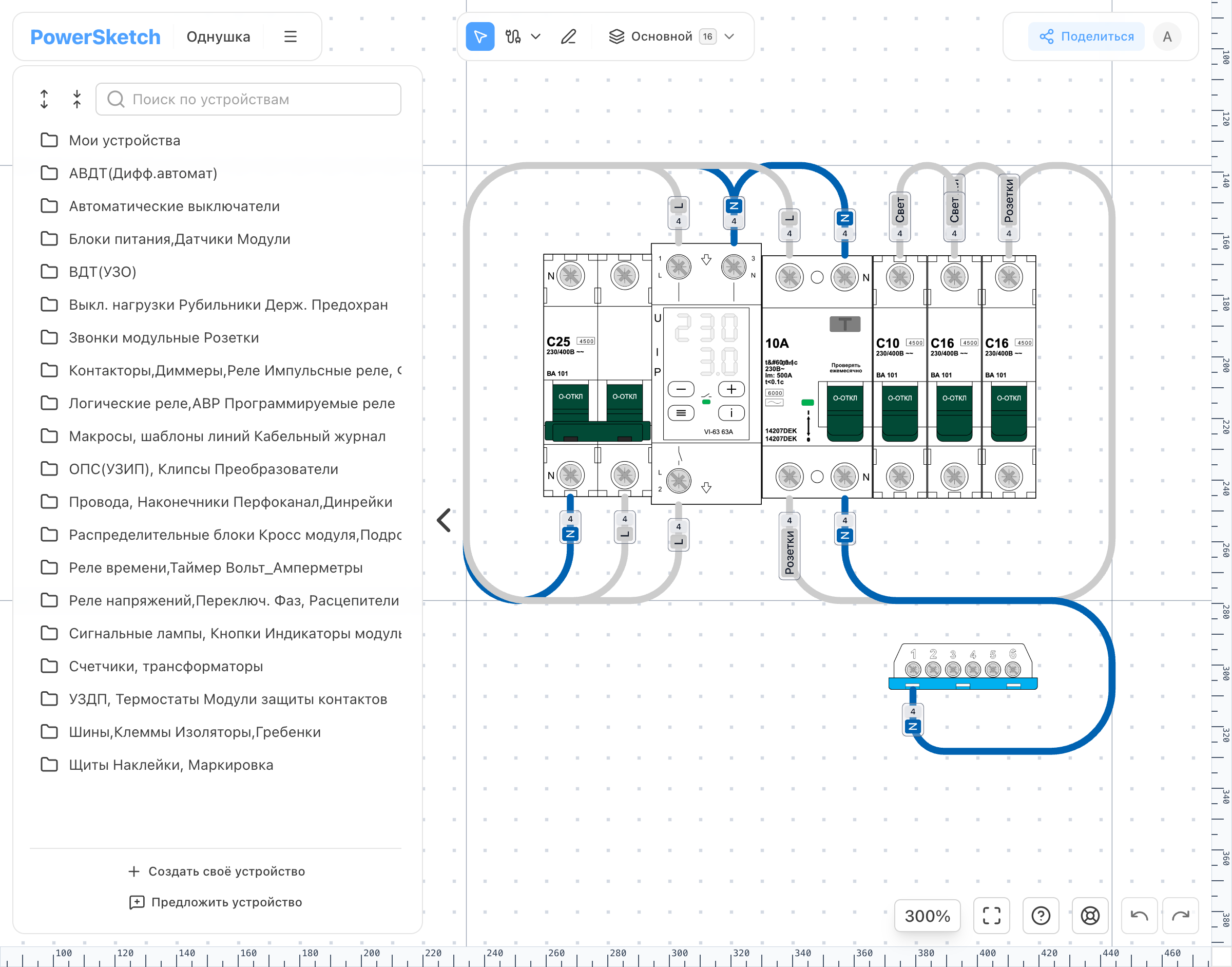
// 01PowerSketch in numbers.json
// 02Context.md
PowerSketch lets an electrician build a panel much as they would at a workbench: choose real devices from the catalog, place them on the diagram, and connect them with wires. The service then creates the device list and connection table automatically, so nothing has to be copied by hand.
It is made for electricians, smart-home integrators, panel builders, commissioning engineers, and technical specialists.
// 03Workflow.flow
Every step is connected. The user draws the diagram once, and PowerSketch reuses that information for reports, sharing, and export.
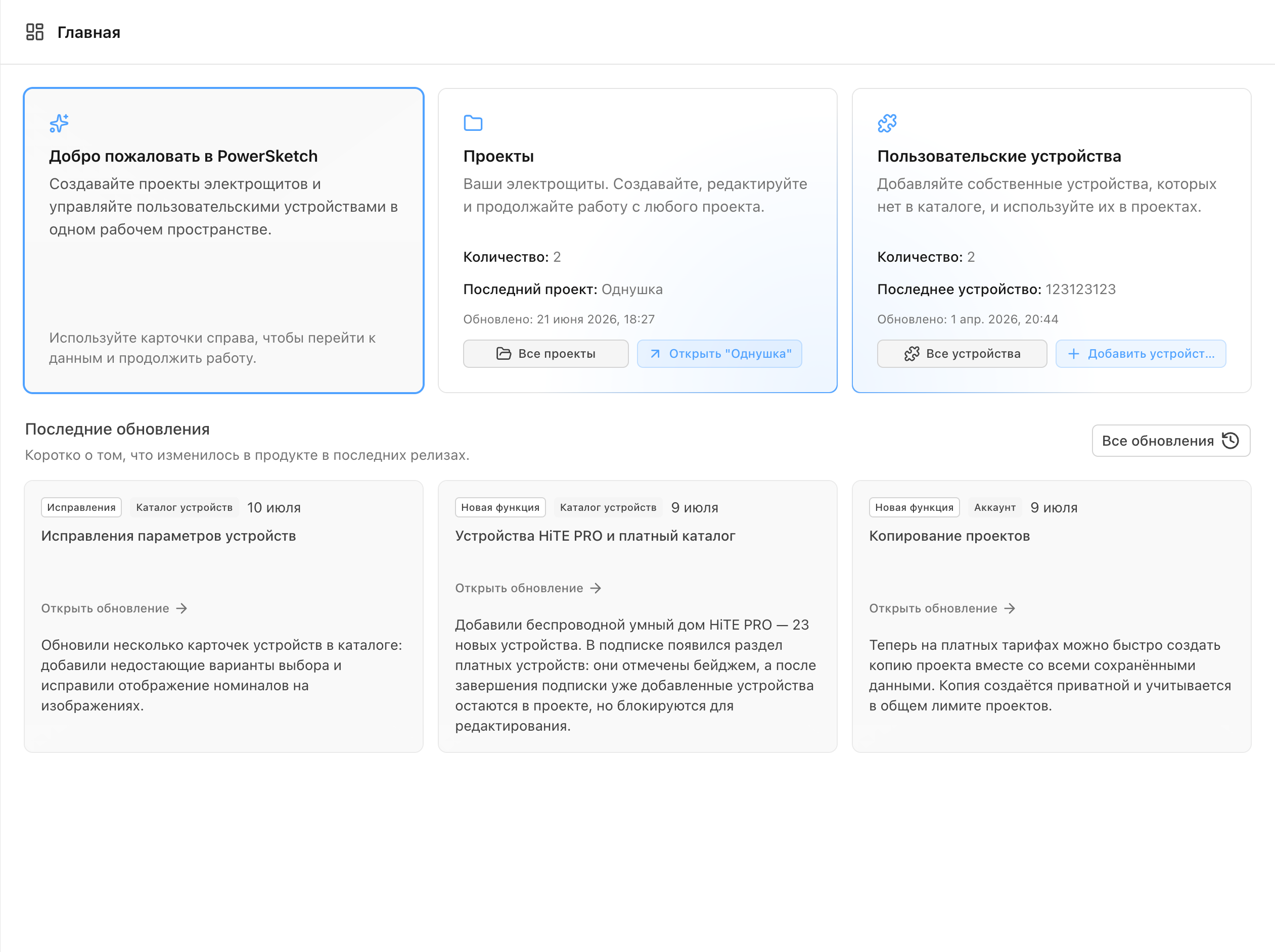
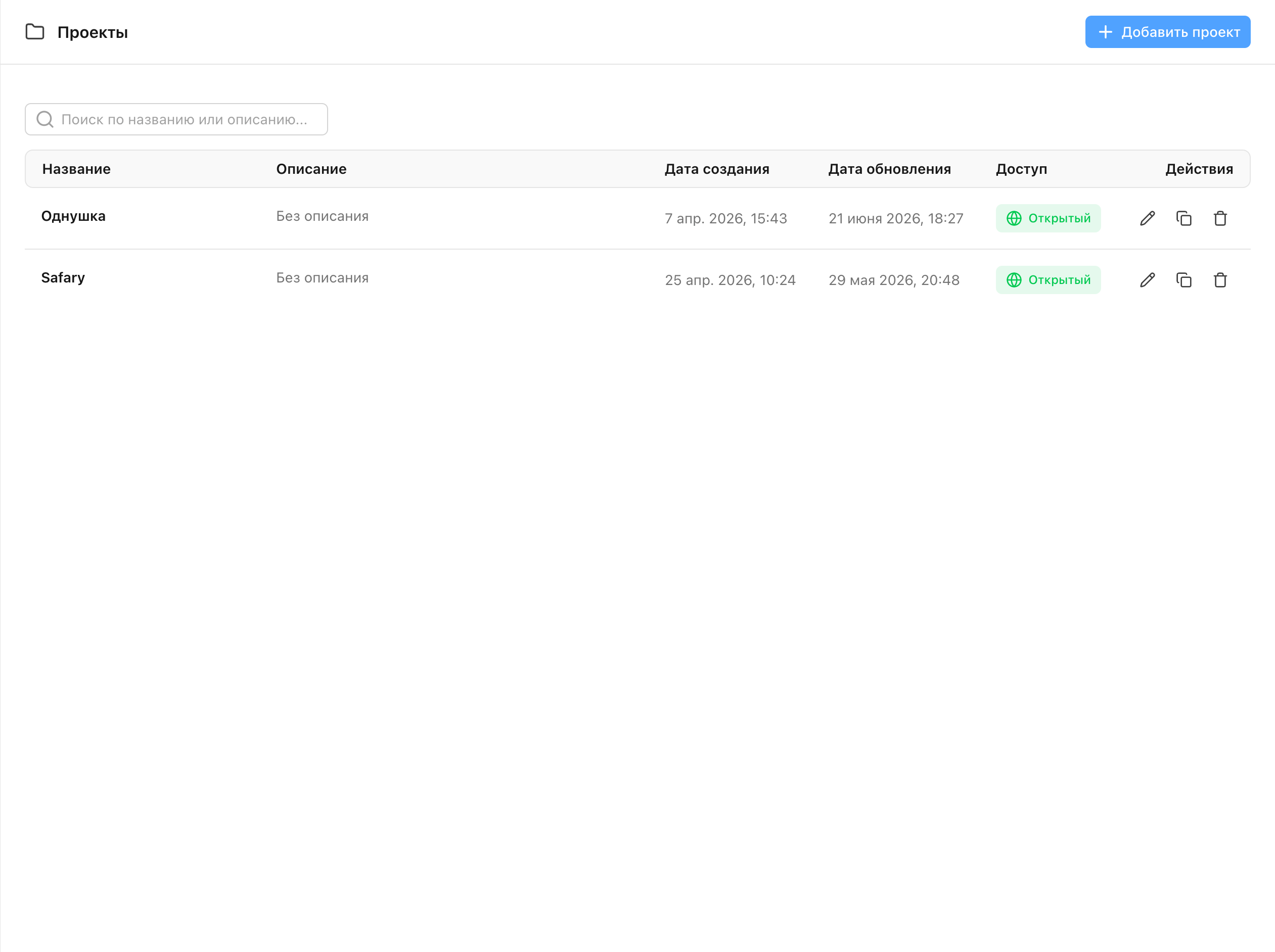
Every diagram lives in the workspace, where it is easy to find, open, or copy.
Find the device you need in the catalog and drag it onto the diagram.
Wires connect specific device pins, keeping the diagram clear and easy to check.
PowerSketch builds device and connection tables directly from the finished diagram.
Send a view-only link to a client or colleague, or download an SVG for the job.
// 04Problem.issue
The main challenge was making a precise engineering tool feel straightforward in everyday work. When someone moves a device or wire, the pins, layers, reports, and export all need to update without losing data.
Large diagrams still need to feel smooth, and an exported file needs to match what users see in the editor. Older projects must keep opening after updates, and the core tools need to work across different screen sizes.
// 05System / Architecture.graph
The diagram sits at the center of the editor. Every device has dimensions and pins, every wire has two endpoints, and every layer has an order and visibility. Change something once and the update appears in the editor, reports, and exported file.
Diagram editing happens in the browser, so every move feels immediate. The server stores projects and the catalog and handles sign-in, shared links, and subscriptions. The user never has to think about that split—they can simply continue where they left off.
Zoom, move, and edit the diagram without losing dimensions or connection points.
Search and clear categories make it easy to find the right model among 2,000 devices.
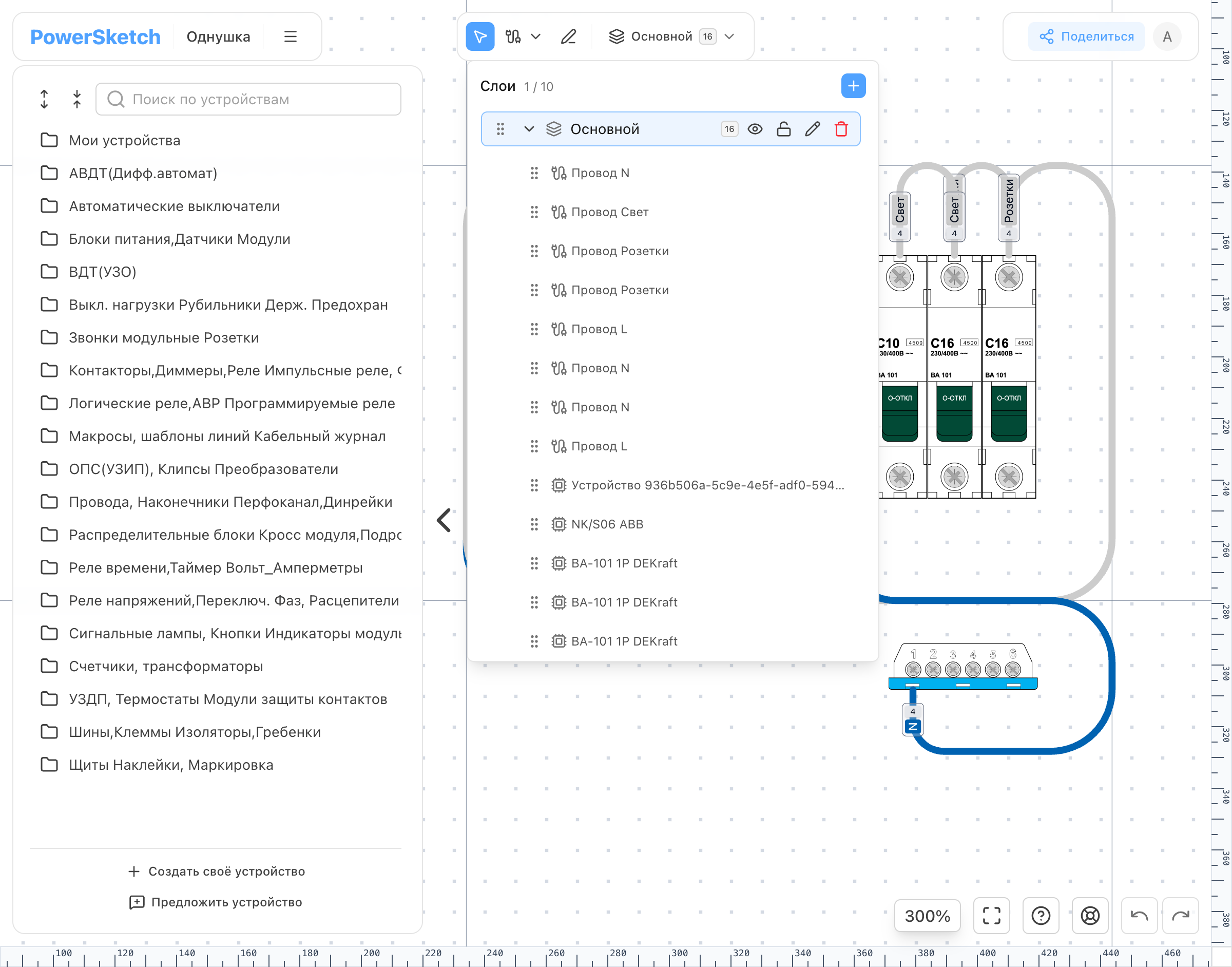
Group items into layers, hide what you do not need, and lock finished parts against accidental edits.
Add devices and wires once, and they automatically appear in reports and exports.
// 06Custom devices.schema
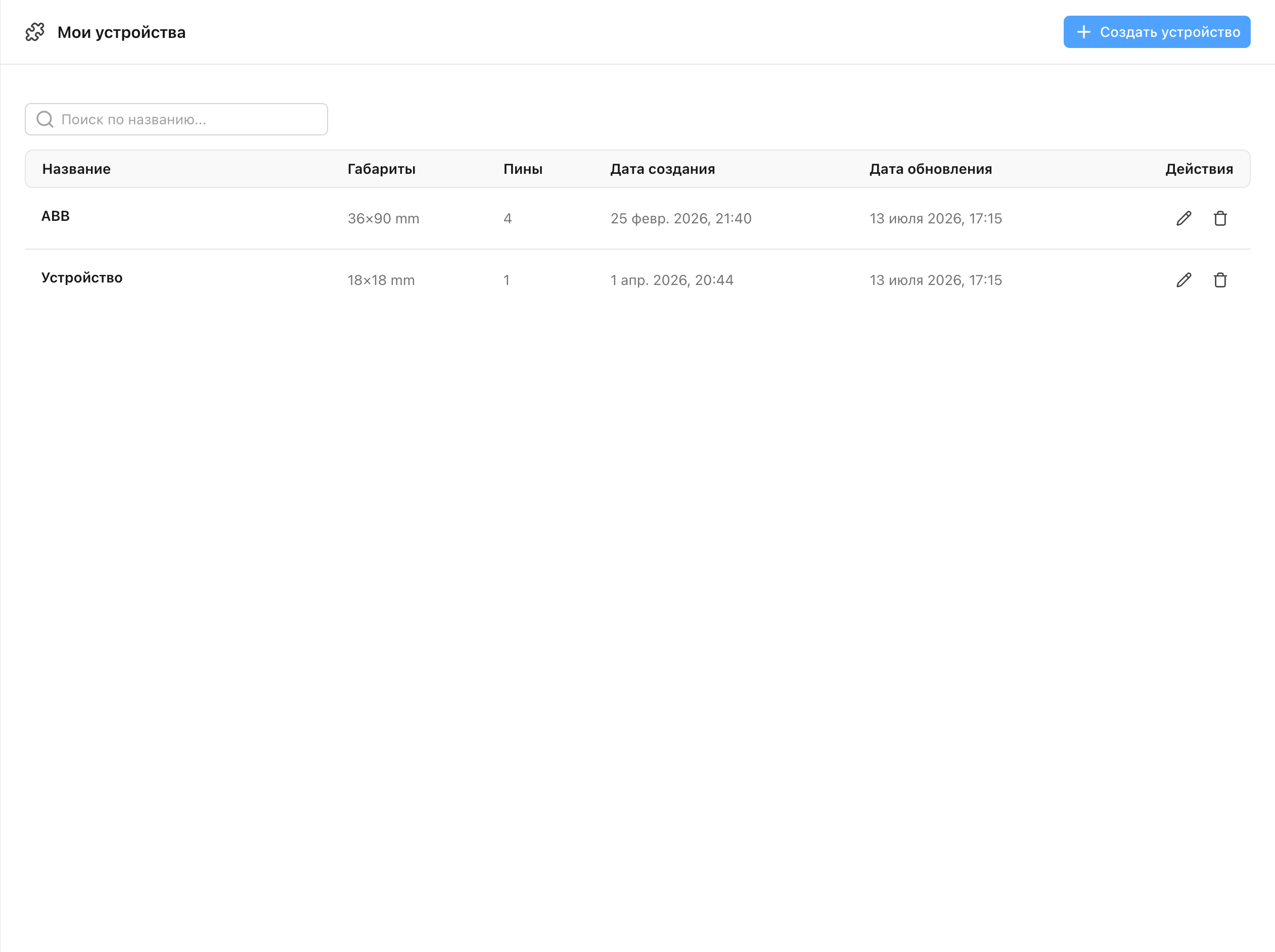
Enter its dimensions, upload an image, and place the pins. PNG, JPG, SVG, and WEBP files up to 5 MB are supported. A new model can also be suggested for the shared catalog.
// 07Reports.table
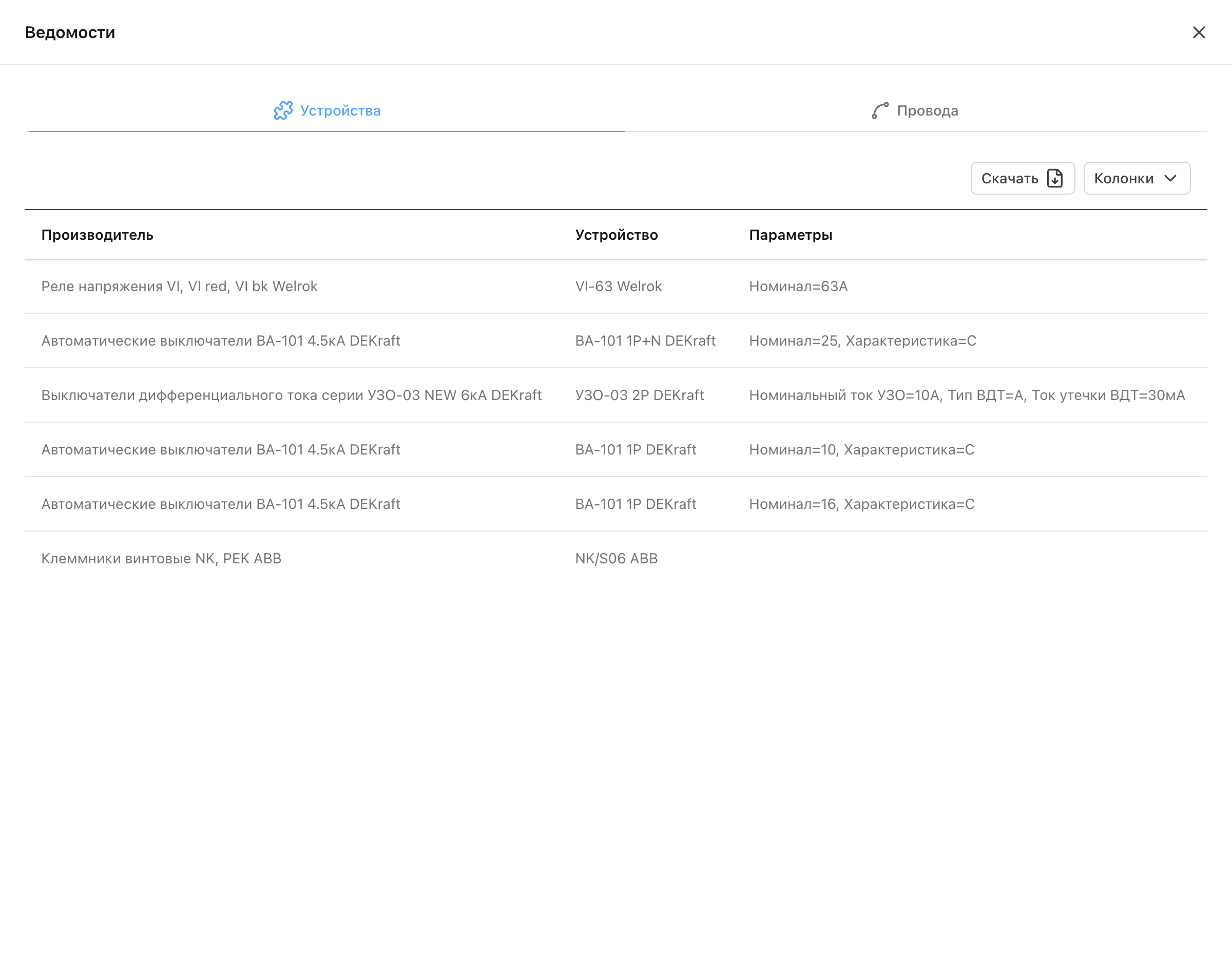
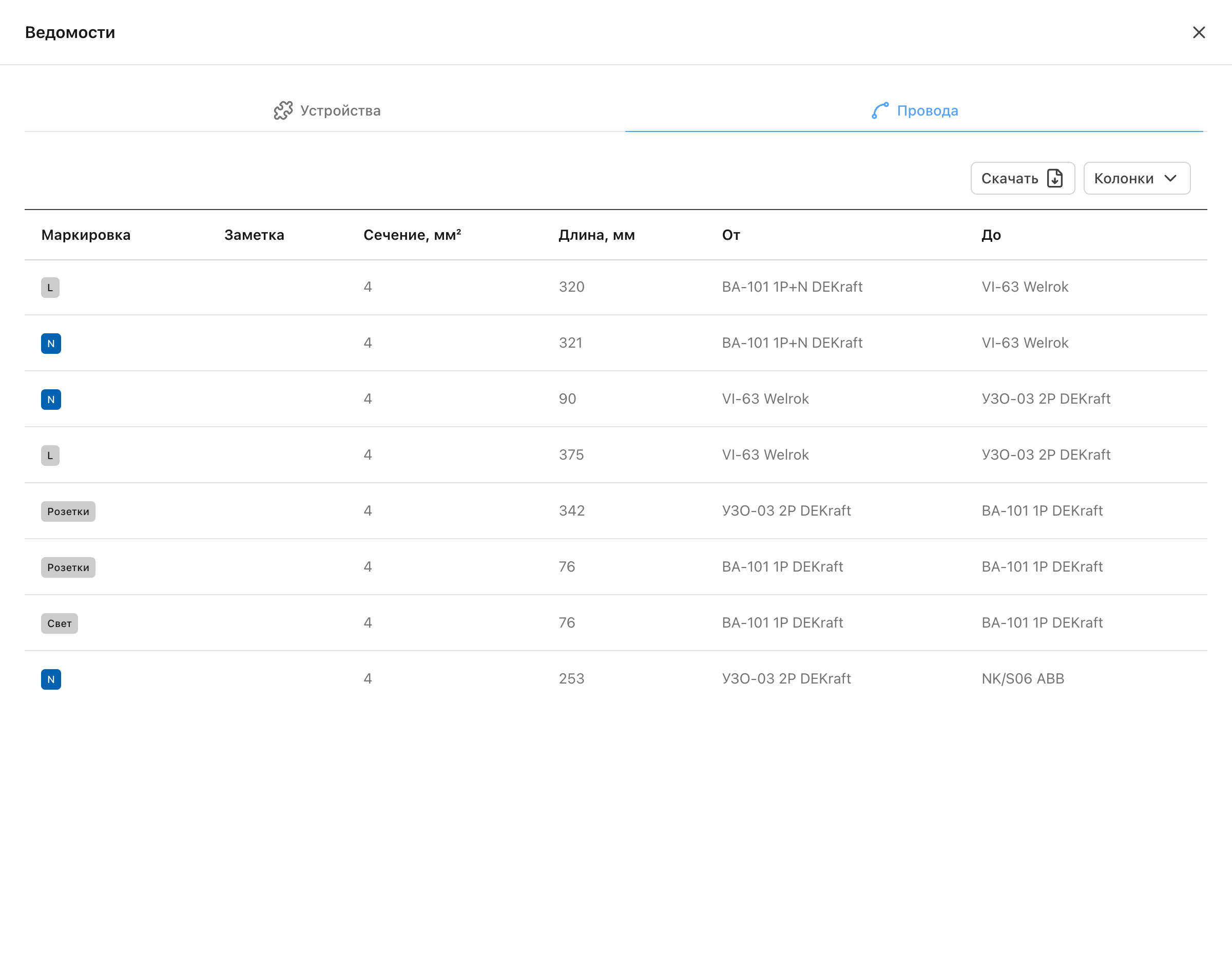
One report lists device models, specifications, notes, and quantities. Another lists every wire with its label, cross-section, length, source, and destination. Unneeded columns can be removed before download.
// 08Hand-off.output
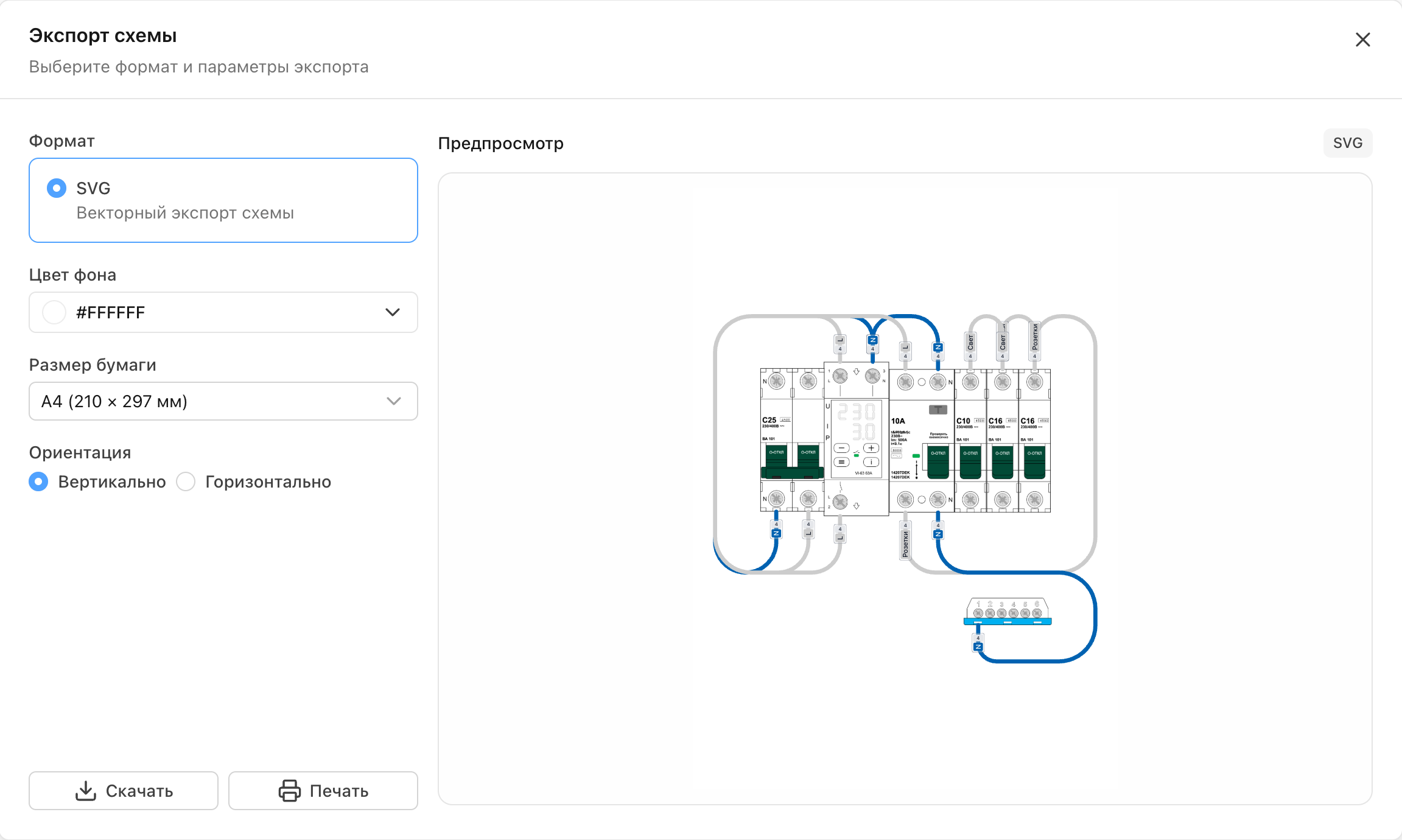
Send a view-only link to a colleague or client—no account or editor access is required. For installation or printing, export the diagram as SVG with the right background, paper size, and orientation.


// 09Product model.plan
The editor and device catalog are included in the free plan. Plus and Professional suit people managing more projects, with higher limits, project copying, and watermark-free export.
// 10Result.log
Today, PowerSketch lets people create a project, build a diagram from 2,000 ready-made devices, add the wiring, and produce useful documents. A project can be shared by link or exported as SVG. Everything runs in the browser, with nothing extra to install.
// My role
I build PowerSketch end to end: user flows, interface and data design, frontend, backend, production releases, and ongoing product support.
Stack[]
root@portfolio:~/contact$ ./start-conversation // Contact me directly
/* Send me a short note about what you want to build and how I can help. That is enough to get started. */